Task crafting for EAs is one of those topics that sounds like something out of a management textbook, but it’s actually something we do all the time, often without realizing it. As Executive Assistants, we’re constantly adjusting, improving, and reshaping the work we do to make it fit better. We just don’t always give it a name. That’s what task crafting for EAs really is. It’s the process of shaping our tasks so our work feels more meaningful, efficient, and aligned with what our Executives and organizations need.
When I first heard the term task crafting for EAs, I laughed because it sounded so formal. The concept actually comes from the work of organizational psychologists Amy Wrzesniewski and Jane Dutton. They explored how people can redesign their own tasks to make their jobs more meaningful. When I looked into it, I realized it perfectly describes what so many of us have been doing for years. We look at our workload and think, “Does this still make sense?” or “Could I do this in a better way?” We take what we’ve been given and make it work better for everyone.
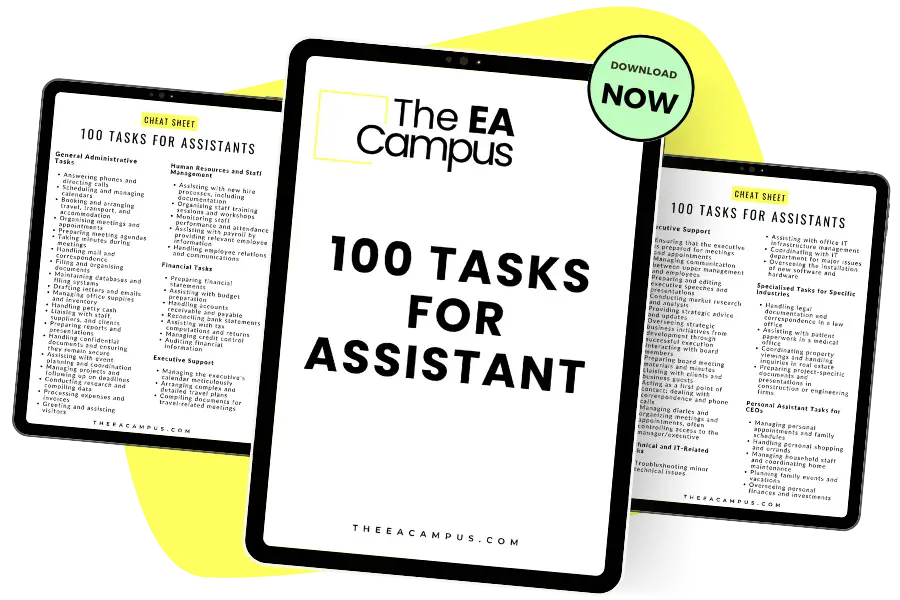
Your essential tool for documenting and understanding the full scope of your duties.
The template is versatile and customisable, no matter who you support or what industry you’re in. Adjust it to reflect your specific duties or to outline potential areas for role expansion.
What is Task Crafting?
So, at its core, task crafting for EAs means looking at the day-to-day work we do and finding small ways to make it more impactful. That could mean taking on a new project that aligns with your strengths, improving a process that’s always been a headache for everyone involved, or simply letting go of something that doesn’t add real value anymore to you or your Executive. I don’t want you to rewrite your job description (although you might need to look at this at some point). In this article, I want to show you how you can approach your tasks and your role differently.
What makes task crafting for EAs powerful is that it reminds us we have more control over our work than we often think. Yes, we’re in a support role, and yes, a lot of our priorities are driven by someone else’s calendar, but within that structure, we can still make changes that make our work more fulfilling to us and more strategic and valuable for the business. We can choose how we show up, how we organize our work, and how we make an impact.
Using the idea of task crafting, you can design your role around your strengths. Maybe you’re great at connecting people and want to build stronger team communication. Or maybe you’re detail-oriented and love creating systems that make everything run smoother. Task crafting for EAs gives you the permission to lean into those skills and design your work around what you do best.
Let’s talk through some practical ways you can start task crafting for EAs.
First, expand what you do best.
We all have parts of our jobs we genuinely enjoy. For some, it’s planning events. For others, it’s managing projects or improving internal communication. With task crafting for EAs, we can look for opportunities to do more of that. If you love organizing, you might offer to take the lead on creating templates or processes that make life easier for the team. If you’re great with data, maybe you can start building dashboards that help your Executive make better decisions. The key is to find small ways to expand the parts of your role that give you energy and deliver real value.
Second, reduce what drains you.
Let’s be honest. There are always tasks that take up time but don’t really move the needle. With task crafting for EAs, we can identify what’s repetitive, unnecessary, or outdated and determine whether it can be automated, delegated, or simplified. Maybe it’s the weekly report no one reads, or the manual expense process that could be easily handled by software. This is often something EAs don’t think about enough: what to stop doing. We don’t always give ourselves permission to say… actually, this work isn’t adding value. We just keep taking on more and more. By clearing out what doesn’t serve us or our Executive, we make room for work that actually matters.
Third, improve how you do your tasks.
This is where task crafting for EAs can be really fun and where technology can play a huge part. We can tweak how we approach the work itself, and right now, with AI available to do some of the heavy lifting, there has never been a better time to look at what we can change. For example, you might set up a Monday planning ritual that helps you align your executive’s week with strategic priorities. You might use AI tools or automation platforms like Zapier to make repetitive work faster or use Copilot or Gemini to summarize meetings and prepare briefs.
This is also a fantastic moment to use task crafting for EAs to really play to your strengths. If AI is taking care of some of the repetitive or administrative work, we can focus more on what we enjoy doing or where our strengths lie. Finally, a positive story about AI taking over the EA role! I know it goes without saying, but I’m going to say it anyway because I think it bears repeating. Focusing on how you do your work can make your days as an EA more productive, more enjoyable, and less busy and fast-paced.
Fourth, connect tasks to purpose.
This might sound like a small shift, but it’s one of the most meaningful parts of task crafting for EAs. When you connect what you do to why it matters, even the most routine tasks take on more importance. For example, scheduling isn’t just moving meetings around, although, yes, that is obviously what you are doing. But when you spend an age trying to make the schedule work and it finally clicks, you’ve created space for your Executive to focus, think, and lead. Inbox management isn’t just clearing emails. What is the bigger aim? To protect your Executive’s mental bandwidth and ensure they focus on the work, not other people’s priorities and needs, because nine times out of ten, that is what an email contains. So, when we frame our work this way, we start to see how much strategic value we really bring.
What’s great about task crafting for EAs is that it doesn’t require a major career move or a new job title; you don’t need to have a conversation with HR or your Executive, really (though it might be good to give them the heads up). It’s something you can do right now, in the role you already have. And it’s not a one-time thing. It’s a mindset we carry forward. As our Executives, teams, and organizations change, we can keep adjusting how we work to stay relevant, valuable, and energized.
When you start task crafting for EAs, begin with simple, tactical steps. First, choose one recurring task and map out exactly how you complete it. Ask yourself where the bottlenecks are, which steps could be automated, and which parts genuinely require your time or input. Then, experiment with one improvement this week. Maybe you use an AI tool to summarize meeting notes, create a shared template to reduce rework, or document a process so it can be delegated later.
Track how much time you save and how the quality or impact of your work changes. Share those results with your Executive. This approach builds confidence and shows how task crafting for EAs directly supports productivity.
Over time, as you repeat this with other tasks, you’ll see your role evolve naturally and strategically without needing a major job overhaul.
Of course, task crafting for EAs takes some courage. It means questioning why things are done a certain way and being willing to change them. It might mean pushing back gently when you see inefficiencies or suggesting new approaches that make life easier for everyone. But if there’s one thing I know about EAs, it’s that we’re resourceful, practical, and always up for a challenge.
If you’re thinking, I don’t have time for task crafting, that’s completely understandable. We’re all busy, and it’s easy to stay in reactive mode. But the truth is, even five minutes a week spent thinking about what you could tweak or improve can make a big difference. Maybe this week you can identify one recurring task that could be streamlined. Next week, you will try a new approach to managing meeting notes. Over time, those small improvements add up to real transformation.
Here’s a simple way to start. Take a look at your current task list and ask three questions:
Which tasks energize me?
Which tasks drain me?
Which tasks could be done differently?
That’s task crafting for EAs in its simplest form. It’s looking at your role with curiosity and taking small steps to make it a better fit for you. You don’t need anyone’s permission to begin. Start by choosing one task and making a small, intentional change that improves how you work or how it supports your Executive.
As EAs, we often think our role is defined by our Executive’s needs, and in many ways it is. But with task crafting for EAs, we can shape how we meet those needs in ways that work best for both of us. It’s how we stay engaged, keep growing, and continue to make a real impact.
So this week, I encourage you to try it. Pick one small thing you can reshape, streamline, or improve. That’s all it takes to start task crafting. And once you start, you might just find it becomes one of your favorite parts of the job.
If you want more practical advice about your role, check out our online courses. The Unrivalled Assistant covers everything you need to get started.